📋 Executive Summary
Late-night Indian wedding rituals—from 2:00 AM Marwari and Bengali Saat Pheres to dimly lit outdoor South Indian mandaps—present extreme low-light challenges. Rapid motion during the Sindoor Daan and Kanyadaan demands shutter speeds of 1/250s to 1/500s, pushing full-frame sensors to ISO 6400, 10,000, and 12,800. Coupled with dense havan smoke that scatters light and muddies shadow contrast, photographers risk grainy, noisy files. This masterclass reveals the dual-native ISO exposure setups, in-camera highlight protection techniques, and neural AI demosaicing protocols used by India's top luxury wedding studios to preserve razor-sharp Polki jewelry, intricate zari embroidery, and natural bridal skin tones without plastic over-smoothing.
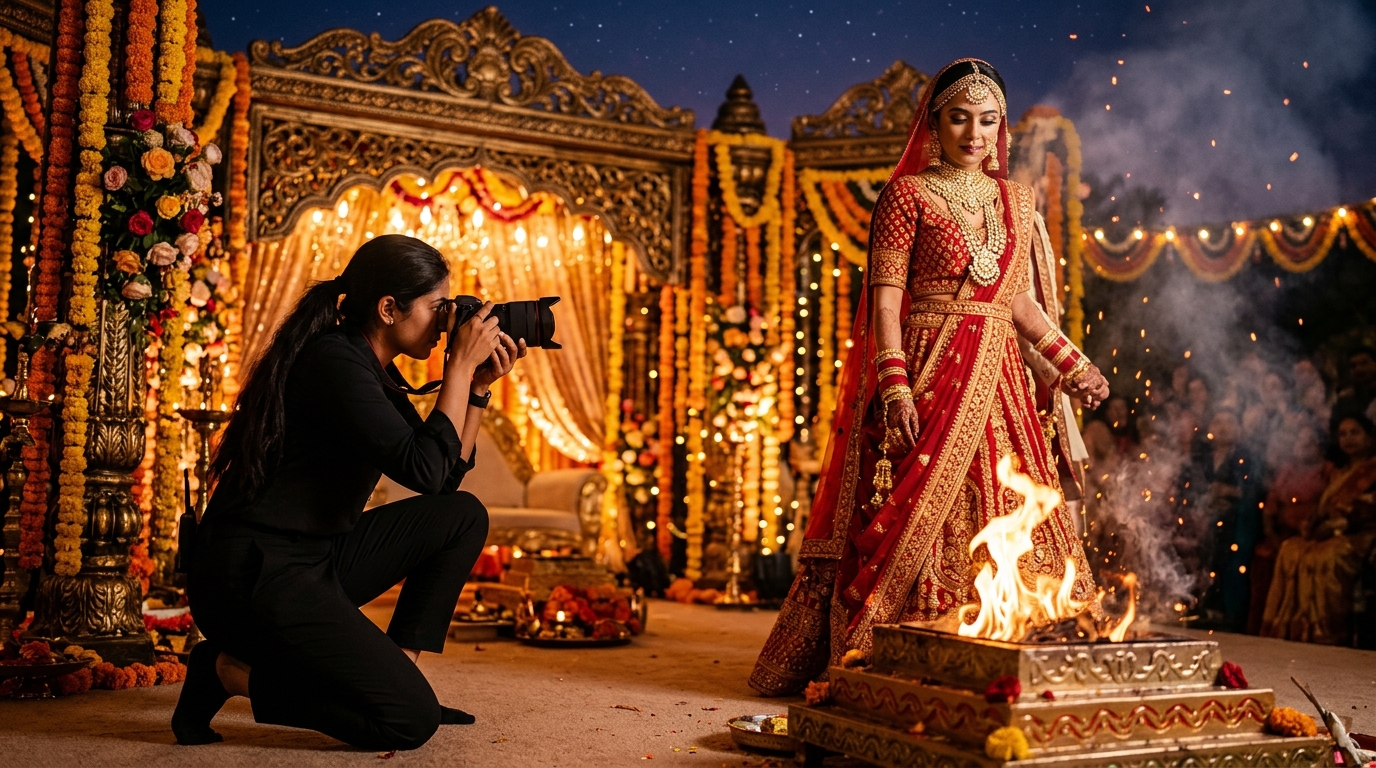
Every professional Indian wedding photographer knows the high-pressure mandap scenario: it is 2:30 AM at a heritage palace or banquet hall. The sacred havan fire is burning bright, casting unpredictable orange flares across the mandap. The pandit accelerates Vedic rituals, urging the couple to perform their Saat Pheres. You need a fast shutter speed to freeze the swirl of the bridal lehenga and falling flower petals, but ambient stage lights are dim. Your camera LCD reads: 1/320s, f/2.0, ISO 10,000.
In the past, shooting at ISO 10,000 produced chromatic noise and degraded facial contours. Modern back-illuminated (BSI) full-frame sensors and deep-learning AI demosaicing algorithms have transformed low-light photography. However, using generic noise reduction creates a serious flaw: the "wax mannequin effect," where eyelashes, skin texture, and intricate gold zari threads are smoothed away. Here is your complete guide to capturing clean high-ISO wedding imagery with authentic texture and sharpness.
🌙 The Mandap Midnight Dilemma: Why High-ISO Noise is Unavoidable
While off-camera flash (OCF) or LED panels provide fill light, real-world Indian wedding rituals impose distinct constraints:
- Ritual Sanctity & Priest Rules: Direct high-powered flash during sacred Vedic chants or emotional Kanyadaan moments is intrusive and often restricted by priests and family elders.
- Havan Smoke Scatter: Micro-particles from burning samagri, wood, and ghee act as an uncoordinated diffuser. Direct on-camera flash illuminates airborne smoke, producing an unappealing milky haze over your subjects.
- Movement Speed: Walking around the havan fire is brisk. Dropping below 1/250s introduces subject motion blur. Pairing 1/320s with an f/2.0 aperture to keep both bride and groom in focus makes ISO 6400 to 12,800 unavoidable.
⚡ Dual-Native ISO & In-Camera Exposure: Setting Up Your Sensor for Clean Shadows
Understanding your camera sensor's gain architecture is essential for low-light wedding photography. Modern full-frame mirrorless bodies incorporate Dual-Gain or Dual-Native ISO architectures:
- Sony Alpha (A7 IV, A7R V, A9 III): Sony sensors switch capacitor gain circuits at specific steps. On the A7 IV, the high-gain step engages at ISO 3200. An image captured at ISO 3200 exhibits a higher signal-to-noise ratio (SNR) and lower read noise than one captured at ISO 2500.
- Nikon Z Series (Z8, Z9, Z6 III): Nikon dual-gain switches at ISO 400 and again at ISO 4000. When mandap light drops, shifting to ISO 4000 yields cleaner shadow recovery than ISO 2500.
- Canon EOS R System (R5, R6 Mark II): Canon dynamically manages sensor gain, with secondary amplifier steps stabilizing chromatic noise in deep shadows above ISO 3200.
To protect highlight detail on bridal attire, practice ETTR (Expose To The Right) for Indian Wedding Wear. Bridal lehengas feature reflective elements: pure silver gota patti, real gold zari, and crystal work. If these highlights clip, AI software cannot restore the metallic luster. Set your electronic viewfinder zebras to 95% and expose until specular highlights sit just below clipping. This maximizes photon capture in background shadows while preserving heirloom craftsmanship.
🔬 Lightroom AI Denoise vs. DxO PureRAW vs. Topaz Photo AI: The Wedding Shootout
Traditional noise reduction filters applied spatial blur across high-frequency pixel clusters, blending digital grain together with fabric weave. Modern AI denoisers utilize convolutional neural networks (CNNs) trained on millions of noisy and clean RAW image pairs to reconstruct authentic scene detail.
Here is how the top three tools compare under Indian wedding shooting conditions:
- Adobe Lightroom Classic AI Denoise: Fully integrated into the Develop Module. Generates a non-destructive Linear DNG file while retaining camera profiles, Kelvin adjustments, and HSL settings. For Indian skin tones and gold jewelry, set the slider between 35% and 48%. Going above 60% softens facial structures and creates an artificial appearance.
- DxO PureRAW (DeepPRIME XD2): Exceptional edge detection and optical lens flaw correction. Excels at rendering sharp micro-contrast on velvet sherwanis and polki diamonds, though external roundtripping requires additional local disk space.
- Topaz Photo AI: Powerful autonomous noise reduction and sharpening. While effective for single portrait sessions, its facial reconstruction can produce unnatural eye shapes or teeth details in wide multi-person ceremony frames.
📊 Old Manual Studio Workflow vs. The Modern AI & Pixelect Workflow
The primary bottleneck with high-ISO noise reduction is computer processing time. Here is the operational comparison between traditional and modern studio workflows:
⚙️ Batch Denoising Optimization: Taming the GPU Bottleneck for Wedding RAWs
Neural AI Denoise on a 33MP or 45MP uncompressed RAW file requires 6 to 18 seconds per image, even with modern NVIDIA RTX GPUs. Batch-denoising an entire wedding folder of 4,000 ceremony photos means your workstation renders for 10 to 14 straight hours, generating over 450GB of extra Linear DNG files.
High-efficiency studios avoid processing unselected dump files by following this structured workflow:
- Web-Resolution Proofing: Export lightweight web-sized previews and share them via an instant, password-protected WhatsApp client gallery.
- Client Selection via Mobile PIN: The couple selects their favorite 300 to 400 photos for the heirloom album directly on their smartphones.
- 15-Second Local RAW Extraction: Using Pixelect SmartSelection, the studio loads the client selection list. Pixelect automatically locates and copies the 350 selected camera RAWs from multi-terabyte storage into a dedicated folder in 15 seconds.
Limiting AI Denoise to the approved 350 album images cuts render times to under 25 minutes. Hardware stress is minimized, storage demands fall by 85%, and editors focus on delivering top-tier prints.
✅ 4-Step Actionable Checklist for Flawless High-ISO Wedding Deliverables
Implement these four proven steps across your photography crew and post-production suite:
1️⃣ In-Camera Dual-Gain Lock & ETTR Metering: ✅ Set your camera body to jump directly into its high-gain base ISO (e.g., ISO 3200 on Sony A7 IV, ISO 4000 on Nikon Z8). Monitor highlight zebras at 95% to protect gold zari and jewelry while maximizing shadow detail.
2️⃣ Havan Smoke Neutralization & Dehaze Layering: ✅ Avoid global Dehaze adjustments, which cause magenta discoloration on Indian skin tones. Apply a radial mask over background smoke areas with moderate Dehaze (+12) and Clarity (+8) isolated from the couple.
3️⃣ Calibrated AI Denoise (35% to 45% Sweet Spot): ✅ Keep Adobe AI Denoise between 35% and 45%. Never exceed 50% on bridal close-ups to protect natural skin texture, eyelashes, and fine textile patterns.
4️⃣ Pixelect 1-Click Targeted RAW Extraction: ✅ Deliver mobile-friendly proofs via WhatsApp PIN galleries. Once selections are confirmed, use Pixelect's local auto-extractor to pull the 350 album RAWs in 15 seconds, reducing batch render time from 10 hours to 20 minutes.
❓ Frequently Asked Questions (FAQs)
Q1: Does Lightroom AI Denoise distort authentic Indian skin tones?
No, provided you maintain the recommended 35%–45% range. Lightroom AI Denoise operates at the demosaicing stage before color profile conversion, preserving camera color science. Pushing beyond 60% blends subtle shadow transitions, resulting in an overly smoothed, artificial complexion.
Q2: Should I shoot with In-Camera High-ISO Noise Reduction turned ON or OFF?
Always set it to OFF. In-camera noise reduction is designed for quick JPEG processing and cannot replicate desktop neural networks. It also consumes camera processing resources, diminishing your burst buffer during crucial moments like the Varmala exchange or Sindoor Daan.
Q3: Why shouldn't I batch-denoise all ceremony photos upon import?
Denoising 3,000 unculled photos creates hundreds of gigabytes in extra Linear DNG files and ties up your computer for 8 to 14 hours. Only 300 to 400 images are selected for printed albums and highlight galleries. Using Pixelect to extract only client-selected RAWs in 15 seconds saves substantial storage and turnaround time.
Stop Wasting 10 Hours Batch-Denoising Unselected Photos
Modernize your studio workflow with Pixelect SmartSelection. Share mobile-friendly, PIN-protected WhatsApp client proofing galleries that couples love. Once selections are submitted, auto-extract the exact matching 350 camera RAWs in just 15 seconds—cutting AI Denoise rendering time by 85% and unlocking your album balance payments weeks faster.
Zero cloud storage fees • Works 100% locally with Sony, Canon & Nikon RAWs • Used by 500+ Indian Wedding Studios